For your customers
- Instant price, evenings and Sundays too
- Trade in without leaving the shop
- Pays only the difference, with a bonus
Instant offer in the shop, trade-in in the cart. The customer pays only the difference.
For your customers
For your team
Find the model
Type the name or take a photo, and the AI recognizes the model.
State the condition
Clear questions with pictures instead of free text.
Instant offer
The price is there at once, with the trade-in value next to it.
The buyback price and the trade-in bonus come straight off the price. That makes the trade-in part of the buying decision.
Many customers check the price online and then come to the store. That turns the online trade-in into a lead for your store: your team knows the item, the offer and the contact before the visit.
Online trade-ins for your store
Example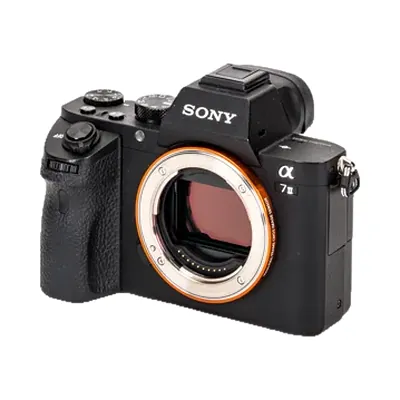 Sony Alpha 7 II Marie Zimmermann, Condition B, Ref. 4821 $360 Expected
 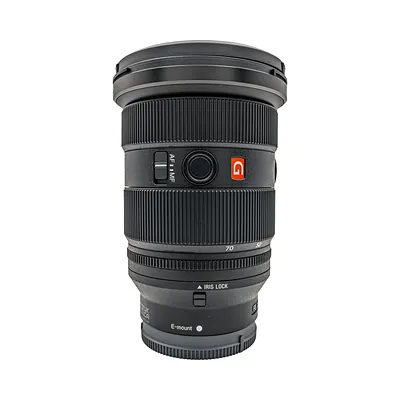 Sony FE 24-70mm F2.8 GM II Jonas Meier, Condition A, Ref. 4817 $1,150 Expected
 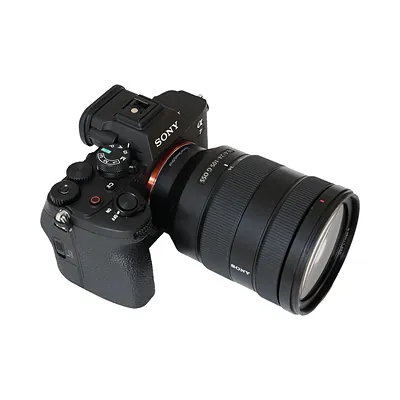 Sony Alpha 7 IV Lea Brunner, Condition C, Ref. 4809 $975 Traded in
 Offer, device and contact are in the system before the visit.
Pick a camera and its condition, then a new product from the shop. You see the offer, the trade-in bonus and what your customer still pays.
In your shop it shows your name, your colors and your prices.
AI recognizes the device in the photo and suggests the matching model. Available in your shop, not in this demo.
A few simple questions about brand, type and size lead to the right model. Available in your shop, not in this demo.
No match for “”
In your shop, customers can then request an individual offer.
Your device Sony Alpha 7 II If the check shows a different condition, you get a new offer.
Sony Alpha 7 II, Condition B, very good
New productSony Alpha 7 IV Your device (buyback) Sony Alpha 7 II Instead of $2,199. Your device counts $396.
Remaining credit for your customer account: $0
Trade it in and your device counts $396.
We have sent you a confirmation by email.
This is how your customers experience it: in your branding, with your prices and connected to your ERP. Book a demo
This is a preview and a slimmed-down version of the Loopia trade-in. Prices are examples. In the live solution your customers also get emails, tracking, ID checks and the full product catalog.
After the trade-in, your customer chooses how the old device gets to you. Both ways continue in the same order.
At checkout, Loopia deducts the buyback price and the trade-in bonus straight from the purchase amount, and the customer pays only the difference. On the buyback page, the customer picks the new product from your shop after the offer. You can also set up the flow so that it ends with a voucher code for an immediate purchase.
Then they choose a payout by bank transfer, without the trade-in bonus. The trade-in stays the path you encourage with the bonus. You decide how high it is.
Yes, with any web framework. You add it to the product page, as its own buyback page or in the checkout. The design is matched to your shop with CSS. If you want to build your own front end, you use Loopia headless.
The guided questions with pictures keep differences small. If your team still finds one during the inspection, it makes a counteroffer through the system. The customer accepts or declines it in the customer portal.
Then the customer enters it and sends a request. Your team decides whether to make an offer or decline the product.
Yes. Many check the price online and then bring the device to the store. For the drop-off they pick a store and get a reference code. Your team sees the order, the offer and the contact in the employee portal, inspects the device on site and credits it straight against the new purchase.
The AI search finds the right model in the catalog, even with typos or vague names. With product recognition, a photo of the device is enough. The pricing AI suggests the price from current market data, within the rules you set.
Yes. Most customers sell from their phone, so the flow is built for it. On a desktop everything works the same way.

Philipp shows you Loopia Trade-In live, online and in store. 30 minutes, with a product from your own range.